
Conditional routing allows you to define conditions on AV sources and input switches that control whether a route is executed. When a source is routed, the system evaluates the condition — if the condition is met, the route proceeds as normal. If the condition is not met, the route is prevented.
Some examples of conditional routing usage:
- Recalling a DSP preset only when routing to a non-preview destination (see Input Switches Enrichment documentation on recalling preset in Input Switches)
- Preventing a source (e.g. a PC) from routing to a lecture capture destination.
- Resolving conflicts when a source has two input switches defined against the same matrix, by restricting each input switch to a specific output switch or destination.
Note that the feature will only be available in Space CE version 2.18.0 to select tenants.
Note that conditional routing is currently not supported for destination group, and there is work in progress to enable it.
Configuration
AV Source Condition
Condition defined on an AV Source applies to all routing for that source. If the condition evaluates to false, the route is prevented for the given destination type/destination/output switch.
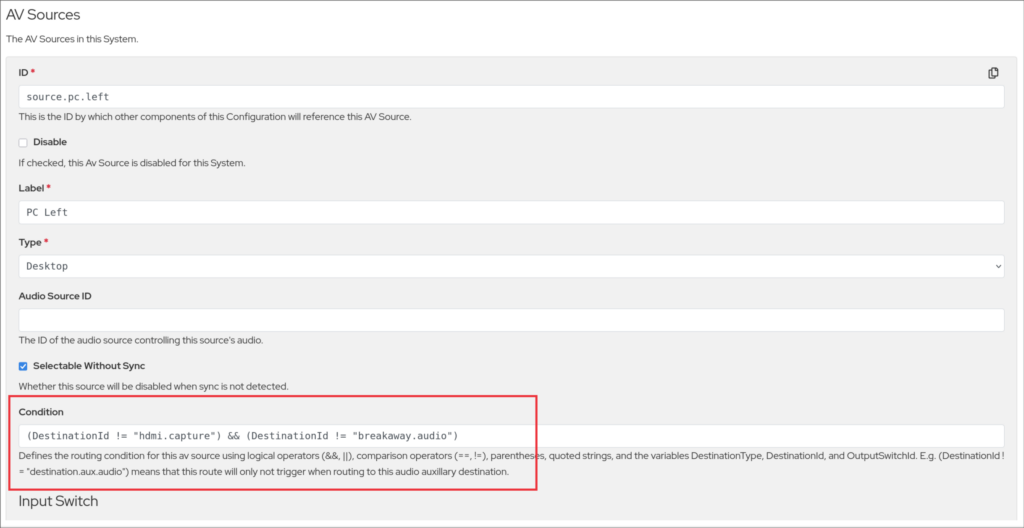
Configuration Example:
{
    "ID": "source.pc.left",
    "Label": "PC Left",
    "Type": "Desktop",
    "Selectable Without Sync": true,
    "Condition": "(DestinationId != \"hdmi.capture\") && (DestinationId != \"breakaway.audio\")",
    "Input Switch": [...]
}
In this example, the Left PC source will route to all destinations except the lecture capture and break away audio destinations.
Input Switch Condition
A condition defined on an Input Switch applies only to that specific input switch. This allows individual switch operations (such as a preset recall or stream set) as well as source routing involving this input switches to be conditionally executed.
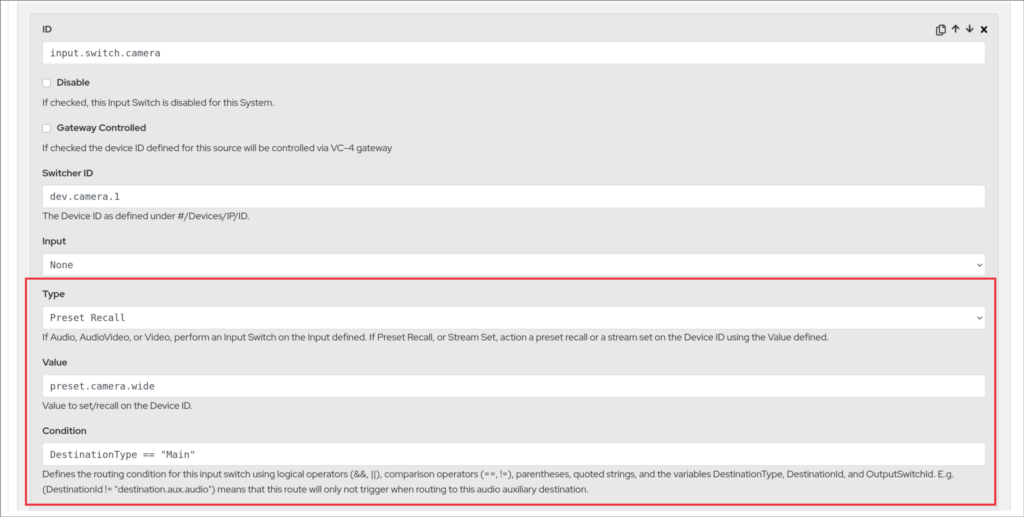
Configuration Example:
{
  "AV Sources": [
    {
      "id": "source.camera",
      "category": "camera",
      "label": "PTZ Camera",
      "Input Switches": [
        {
          "id": "input.switch.camera",
          "Switcher ID": "dev.camera.1",
          "Type": "Preset Recall",
          "Value": "preset.camera.wide",
          "Condition": "DestinationType == \"Main\""
        },
        {
          "Switcher ID": "switch.matrix.1",
          "Type": "video",
          "Input": "5"
        }
      ]
    }
  ]
}
In this example, when the camera is routed to a Main destination type, the preset recall occurs and the video matrix routes. When the camera is routed to any other destination type, only the video matrix routes — the preset recall is skipped.
Condition Syntax
Conditions are text-based expressions that evaluate to true or false. They are composed of variables, comparison operators, and logical operators.
Variables
The following variables are available for use in condition expressions. Each variable reflects the destination or output switch being evaluated at the time of routing.
| Variable | Description |
|---|---|
DestinationType | The destination type of the destination being routed to (e.g. "display", "auxiliary", "preview"). |
DestinationId | The ID of the destination being routed to (e.g. "destination.display.1", "destination.aux.audio"). |
OutputSwitchId | The ID of the output switch involved in the route (e.g. "output.1"). |
Operators
| Operator | Type | Description |
|---|---|---|
== | Equality | Returns true if the two values are equal. |
!= | Inequality | Returns true if the two values are not equal. |
&& | Logical AND | Returns true if both the left and right expressions are true. |
|| | Logical OR | Returns true if either the left or right expression is true. |
! | Logical NOT | Negates the following expression. |
() | Parentheses | Groups expressions to control evaluation order. |