

Innomesh v3.6.0 was released to production on 27/03/2026 for Australia and 02/04/2026 for the US and EU Zones
Here’s a summary of the new features, enhancements and bug fixes included in this release.
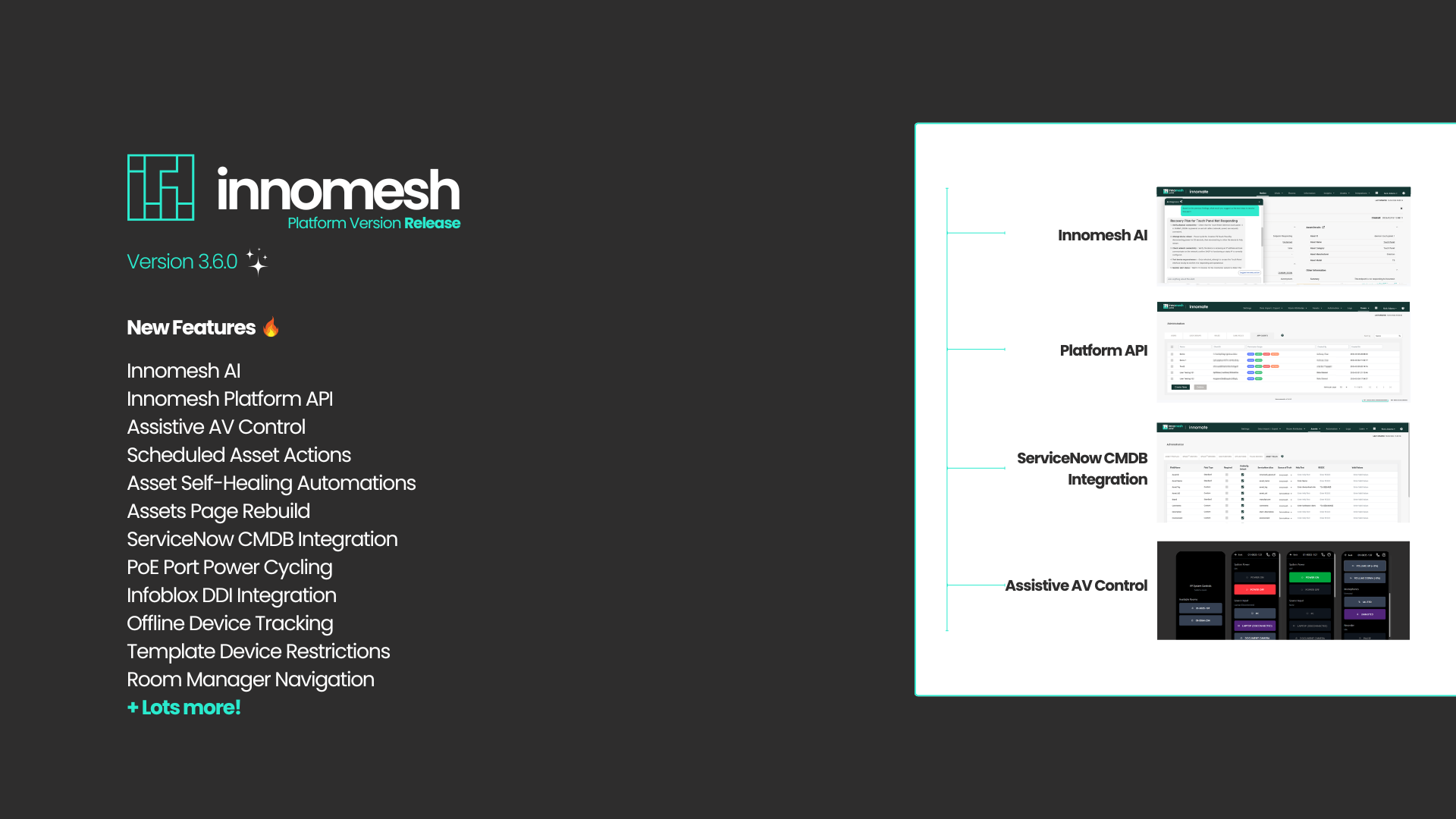
What’s New – March 2026

Innomesh Portal Summary ✨
Innomesh AI – Preview now available. Technical alert diagnosis is available in the initial release, with more to come in the near future.
Innomesh Platform API – Preview now available. Enables third-party integrations with the Innomesh platform.
Assets Page Rebuild – The Assets page has been rebuilt from the ground up for increased performance and usability.
ServiceNow CMDB integration – Optional addon for Room and Asset data synchronisation from ServiceNow.
Policy-based Scheduled Asset Actions – Preview now available. Schedule automated maintenance tasks using Innomesh Ops actions.
Policy-based Asset Self-Healing Automations – Preview now available. Pro-active alert-based problem resolution.

Innomesh Room Manager Summary✨
Assistive AV Control – Utilising Apple VoiceOver for visually impaired users are now in preview in selected tenancies.
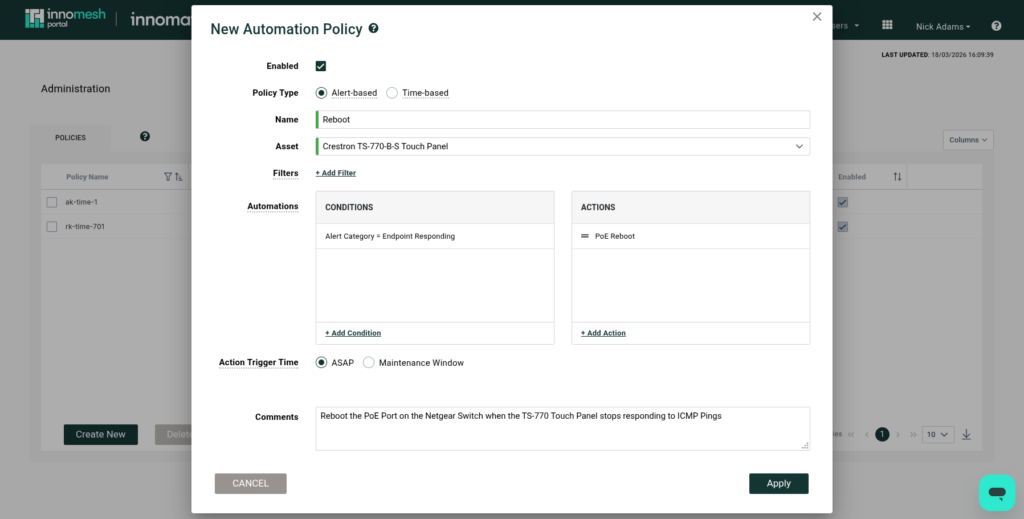
PoE Port Power Cycling – Power Cycling or “Bouncing” PoE ports for connected devices is now supported for Netgear switches.
Infoblox DDI Integration – Added DDI (DNS, DHCP, IPAM) integration with Infoblox for device onboarding.
Offline Assets – Add non-networked devices to your rooms to gain a holistic view of an AV environment.
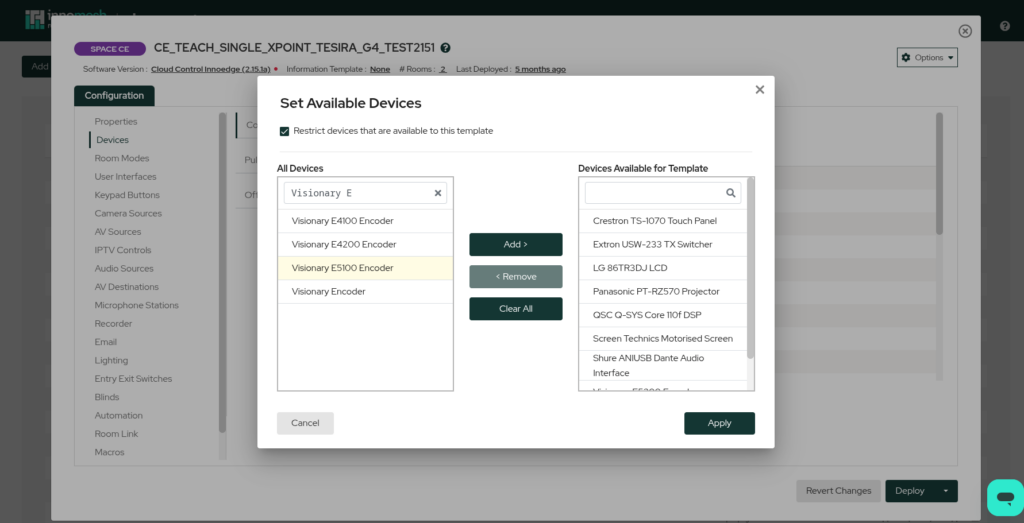
Restrict Allowed Devices – In Innomesh Room Manager, added the ability to restrict allowed devices within a template.
Innomesh Portal – The Details
Innomesh AI
Innomesh version 3.6.0 introduces the initial preview release of Innomesh AI, establishing a framework for artificial intelligence integration across the platform. This release is specifically focused on technical alert diagnostics to assist technicians in system recovery and operational assessment.
AI-Generated Insights for Alerts
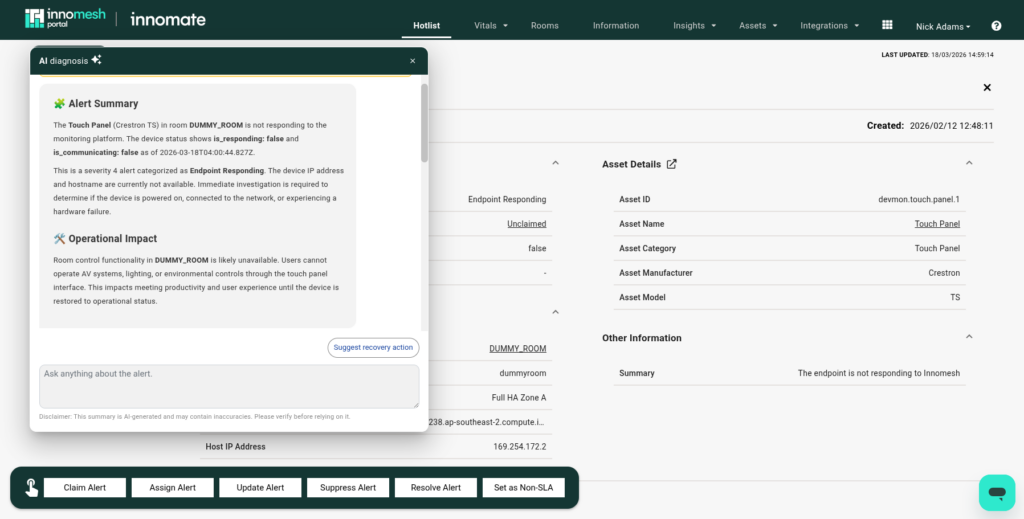

Within the Hotlist’s full-page alert view, a new “AI Diagnosis” button allows technicians to generate a structured summary of the alert. This includes a technical description of the issue and a formal assessment of its operational impact. The AI agent analyses multiple data points to provide accurate reporting, including alert history, the asset’s live state, and room-level context (such as identifying if a device is a single point of failure)
AI-Generated Resolution Guidance
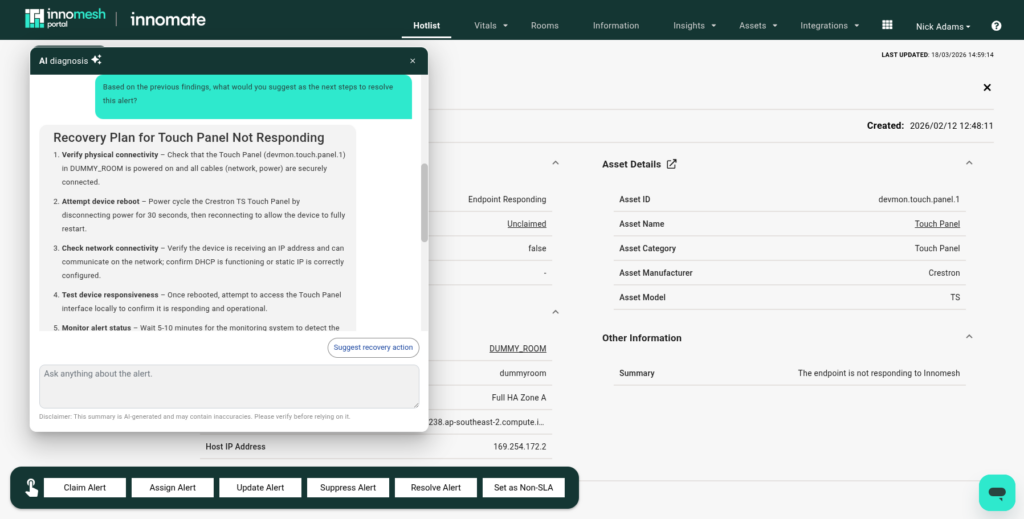
In addition to problem identification, Innomesh AI suggests specific next steps. It evaluates root causes based on information collected by Innomesh and suggests actions, such as Verifying Connectivity, Reboots and Device Specific Actions, to advise technicians on the most effective resolution path.
Two-Way AI Dialogue for Alerts.
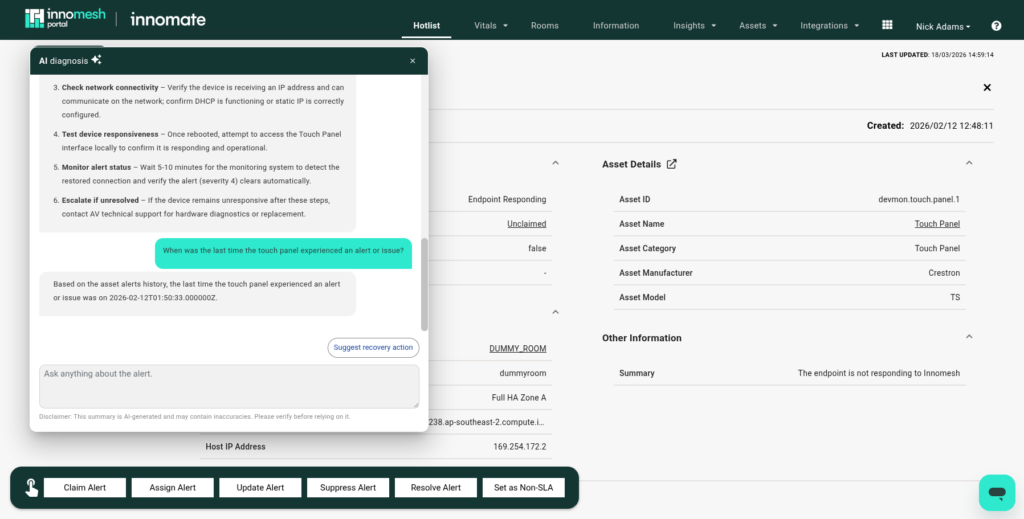
An interactive “Ask anything about the alert” feature enables users to engage in a technical conversation with the AI to gain further clarity on specific system behaviours.
While this release focuses on diagnostic support, the Innomesh AI framework is designed for future expansion into environment-wide insights and fully automated recovery actions, where the system will be capable of executing reboots and other Ops actions without manual intervention
Innomesh Platform API
Innomesh v3.6.0 introduces the initial preview of the Innomesh Platform API, a unified and secure interface designed to facilitate third-party platform-to-platform integrations,. This release establishes a formal framework for external ecosystems to interact with Innomesh data and services reliably and securely.
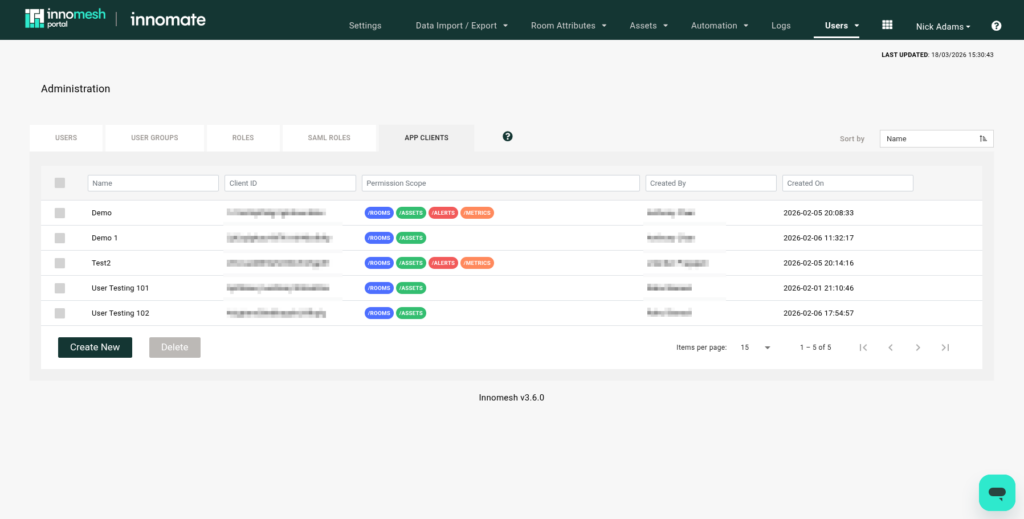
Administrators can now provision and manage “App Clients” directly through the Portal UI. The API utilises OAuth2-based authentication via a dedicated Cognito provider. Access is strictly governed by granular permission scopes, allowing administrators to restrict each App Client to specific API endpoints (e.g, only /rooms or /assets).
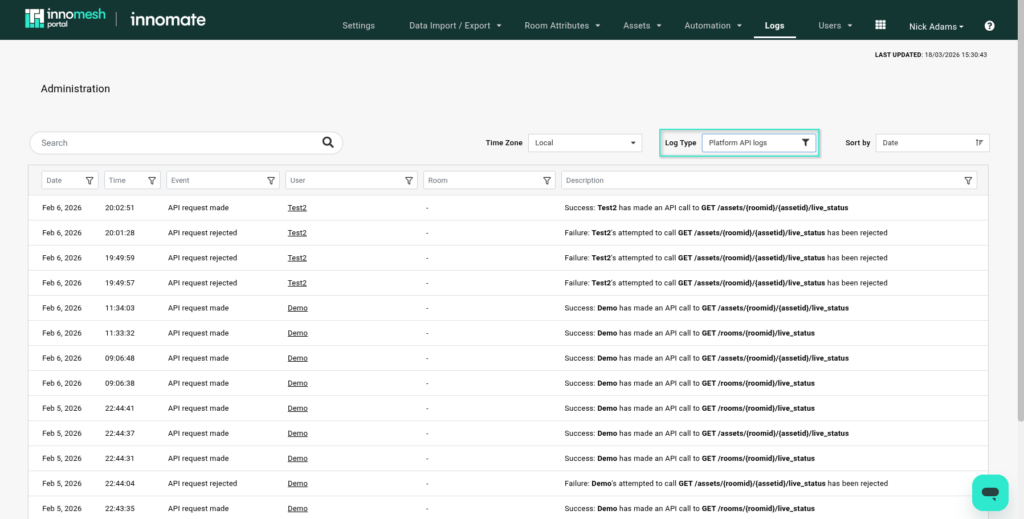
The API includes some rate limiting and throttling to ensure fair usage, and calls to the Platform API, including rejected attempts, are recorded in a dedicated Platform API audit log. These logs provide transparency by detailing which App Client made a request and the resulting status. Developer-facing documentation is provided here in OpenAPI 3.0 format.
For more information, refer to the Platform API article here.
Alert and Assets Page Rebuilds
Innomesh version 3.6.0 introduces a full rebuild of both the alert and asset management interfaces to improve system performance and support new diagnostic capabilities.
Standardised Alert Interface – The alert management system has transitioned from a pop-up window to a full-page view to provide a more detailed operational context. This rebuild facilitates several functional improvements:
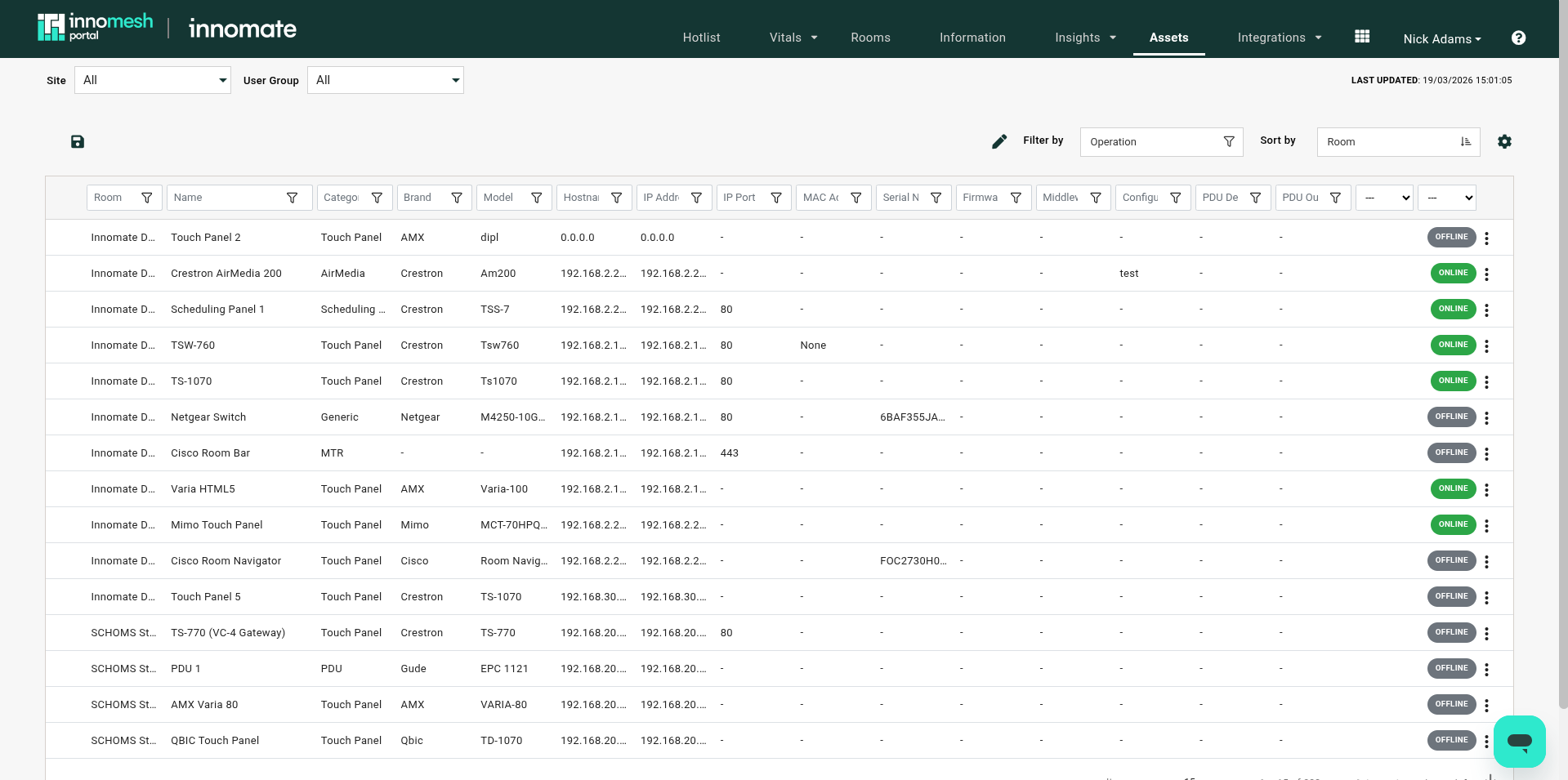
Refactored Asset Registry – The Asset Registry has been rebuilt from the ground up with responsiveness and usability in mind. The new table now supports the reordering and resizing of columns, more responsive device filters and back-end caching to improve load times.

ServiceNow CMDB integration
Innomesh version 3.6.0 introduces the ServiceNow CMDB integration as an optional capability designed to facilitate formal data alignment between the Innomesh platform and enterprise IT service management ecosystems. This integration provides a structured framework for synchronising physical infrastructure data with digital asset registries to ensure operational consistency.
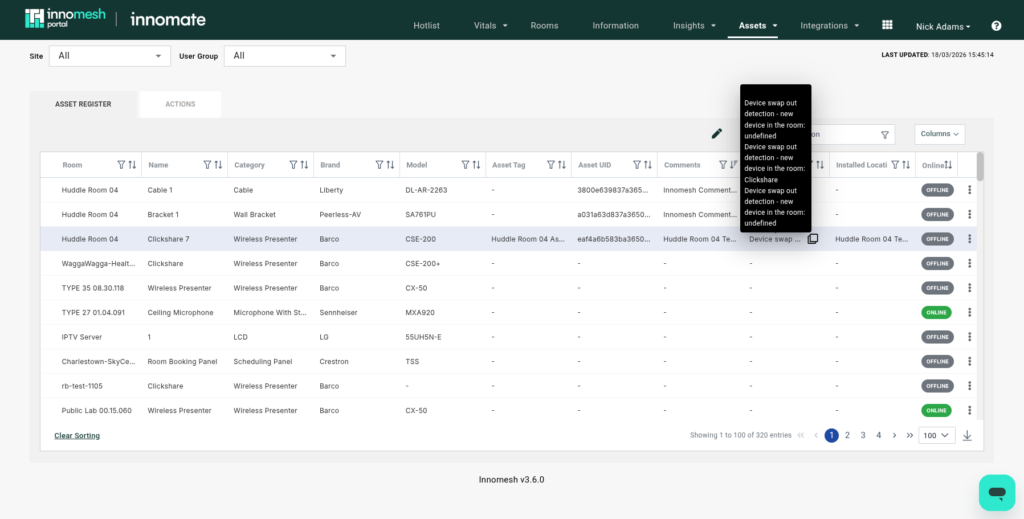
ServiceNow CMDB supports two-way synchronisation for both room and asset data, ensuring that updates in one system are reflected in the other. Technicians can manually link devices discovered in ServiceNow to the equivalent device within an Innomesh Room Configuration, as well as use the dedicated “Link New” workflow, which allows for the creation of new records in ServiceNow directly from the Room Configuration.
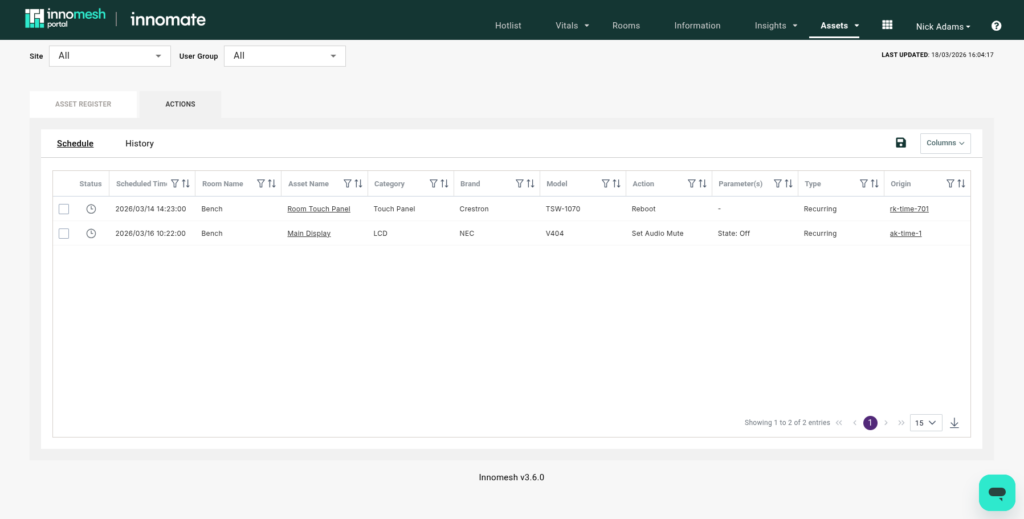
Policy-based scheduled asset actions
Innomesh v3.6.0 introduces Policy-Based Scheduled Asset Actions in preview, providing a formal framework for automating recurring operational tasks across the environment. This capability allows administrators to define and manage time-based automation policies to maintain system readiness without manual intervention.
Policy-based asset self-healing automations
Also introduced in preview is Policy-Based Asset Self-Healing, a framework that automates technical recovery procedures in response to events on Innomesh. This feature shifts Innomesh from proactive support of alerts to proactive remediation, reducing the mean time to resolution (MTTR) for common hardware issues.
Room Manager – The Details
Assistive AV Control
Innomesh v3.6.0 introduces the Assistive AV Control Interface in preview, a specialised web-based mobile user interface designed to facilitate system control for vision-impaired users. This feature utilises inclusive design principles to provide an accessible alternative to traditional touch panel interfaces.

The interface is engineered with extensive use of ARIA (Accessible Rich Internet Applications) attributes, optimised specifically for primary use with iOS VoiceOver accessibility features. Vision-impaired users can operate essential room functions directly from a mobile device, including system power, source input selection, volume levels, and microphone muting. This feature makes room control accessible to those previously excluded by traditional AV systems.
PoE Power Cycling
Innomesh version 3.6.0 introduces General Availability for Network Switch PoE Port Bouncing, providing teams with the ability to remotely power cycle devices by toggling their connected PoE network ports. This capability offers an alternative recovery path for non-responsive hardware that does not have a dedicated PDU outlet mapping.
Infoblox DDI Integration
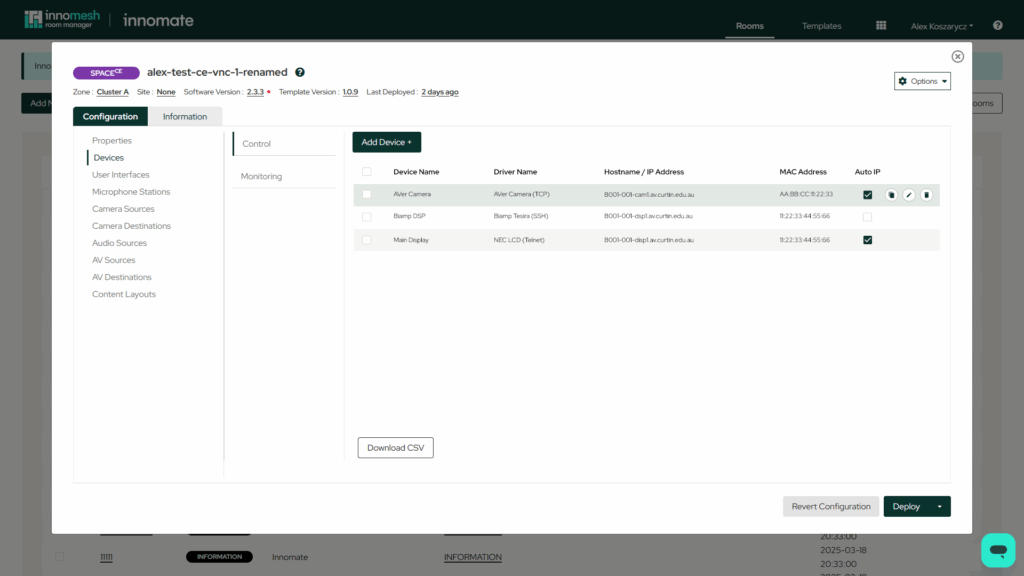
Innomesh version 3.6.0 formally introduces the Infoblox DDI integration, which is now qualified for production use. This feature provides a structured connection between the Innomesh platform and Infoblox DNS, DHCP, and IP Address Management (DDI) services to facilitate the alignment of enterprise networks with devices in Innomesh.
Scalable Automation with Templates
DDI functionality is fully integrated into room templates. By using JSONata notation, hostnames can be dynamically generated based on room-specific data during creation. This powerful feature further automates device and network setup, making large-scale deployments faster and more consistent than ever before.
Advanced Network Control
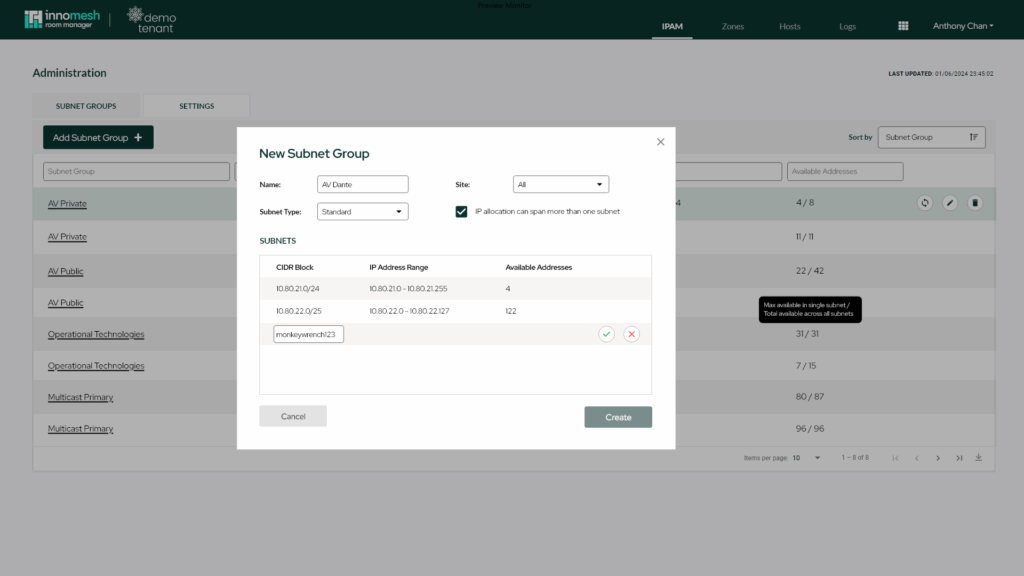
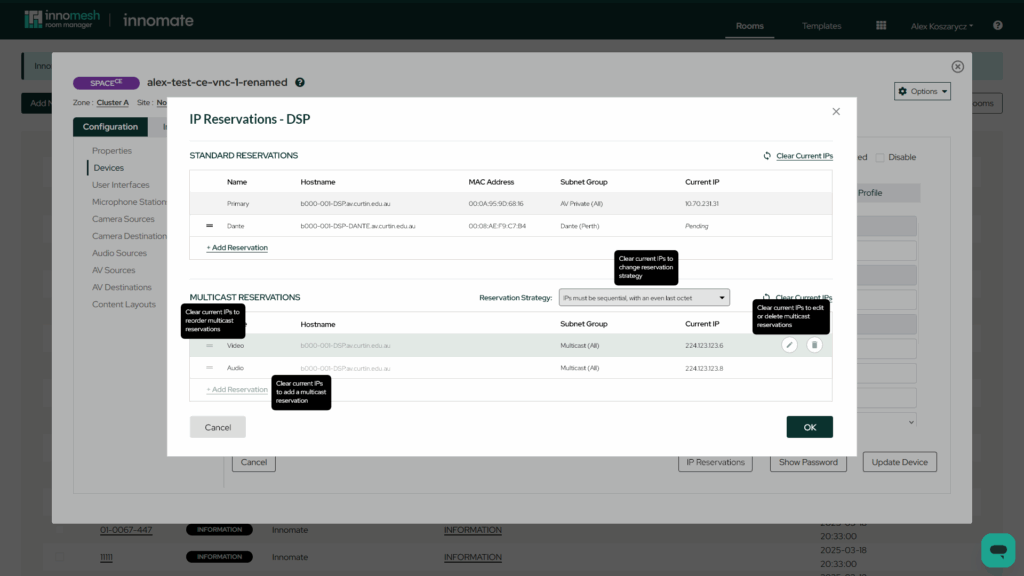
From onboarding new devices to the network to managing multicast network reservation, and the ability to automatically update hostnames when migrating devices from staging to production environments. This capability automates and ensures consistency in IP allocations and DNS management, positioning Innomesh as a complete, end-to-end platform for network-enabled device provisioning and lifecycle management.
Offline Assets
Innomesh version 3.6.0 introduces the ability to define and track offline assets, enabling a more comprehensive view of the physical equipment within an AV environment. This feature allows for the formal inclusion of hardware that lacks network connectivity or is not intended for active monitoring. Including an “Upgrade to Monitoring” workflow, which allows a user to transition an offline asset to a monitored state if a network connection and compatible driver are established at a later date.

Restrict Allowed Devices
Innomesh has introduced the ability to enforce hardware standards through template-level device restrictions. This feature allows administrators to define a specific subset of approved asset profiles that are available for selection when devices are created within rooms associated with that template.
The ability to bypass device restrictions is governed by Role-Based Access Control (RBAC) permissions within the Portal. This ensures that only users with the appropriate technical roles can deploy hardware outside of the standard template specifications.
Additional Enhancements 🚀
Move Between Configuration and Information
Navigation within the Room Manager module has been updated to allow users to move freely between the “Configuration” and “Information” tabs. This refinement eliminates previous navigational restrictions where Room Configurations had to be saved before Room Information can be edited.
Required Asset Fields & Field Validation
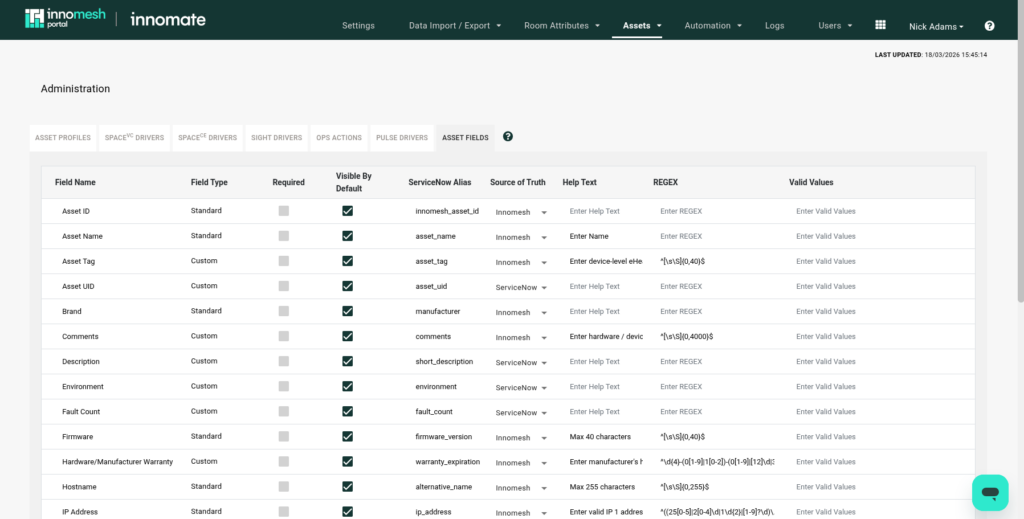
Administrators can now define specific fields within the asset information as “Required“, as well as define validation rules for asset information fields. To ensure data integrity, the platform will conduct automatic audits and generate a notice alert for any asset records found to be missing required values.
Saved Sort Order for Filtered Views
The functionality for saved filtered views in the Innomesh Portal has been expanded to include sort order persistence. When a user saves a filtered view, the system will now retain the sorting parameters in addition to the filtered values, ensuring consistent data presentation upon reload.

Bug Fixes 🪲
- In Room Manager, fixed a bug that caused failures when duplicating rooms.
- In Room Manager, fixed an issue where a room field inadvertently added on the Information page could not be deleted if it is a “required” room field. Now, if multiple instances of a “required” room field exist, they can be deleted until only one remains.
- In Innomesh Portal, fixed an issue where users can inadvertently delete an asset profile that is global across all tenants.
- In Innomesh Portal, fixed an issue where a resolved alert could resurface and re‑resolve within the grace‑period threshold, but still have its resolution timestamp updated. This caused devices with predictable glitch patterns to remain permanently in the “Resolved” tab of the Hotlist. The new behaviour preserves the original resolution timestamp, allowing the alert to fall off the Hotlist as intended.
- The ability to create a custom Pulse rooms (Pulse rooms without a template) has been removed, as this represented a bad practice. Existing rooms with no template will not be affected.