
Overview
Device Configuration Enforcement restricts which device profiles can be added to a room, based on rules defined at the template level. This ensures that rooms are built with only the approved hardware, reducing configuration errors and enforcing organisational standards.
Restricting Devices on a Template
To restrict the devices available for a template:
- Open the template in Room Manager and click Options.
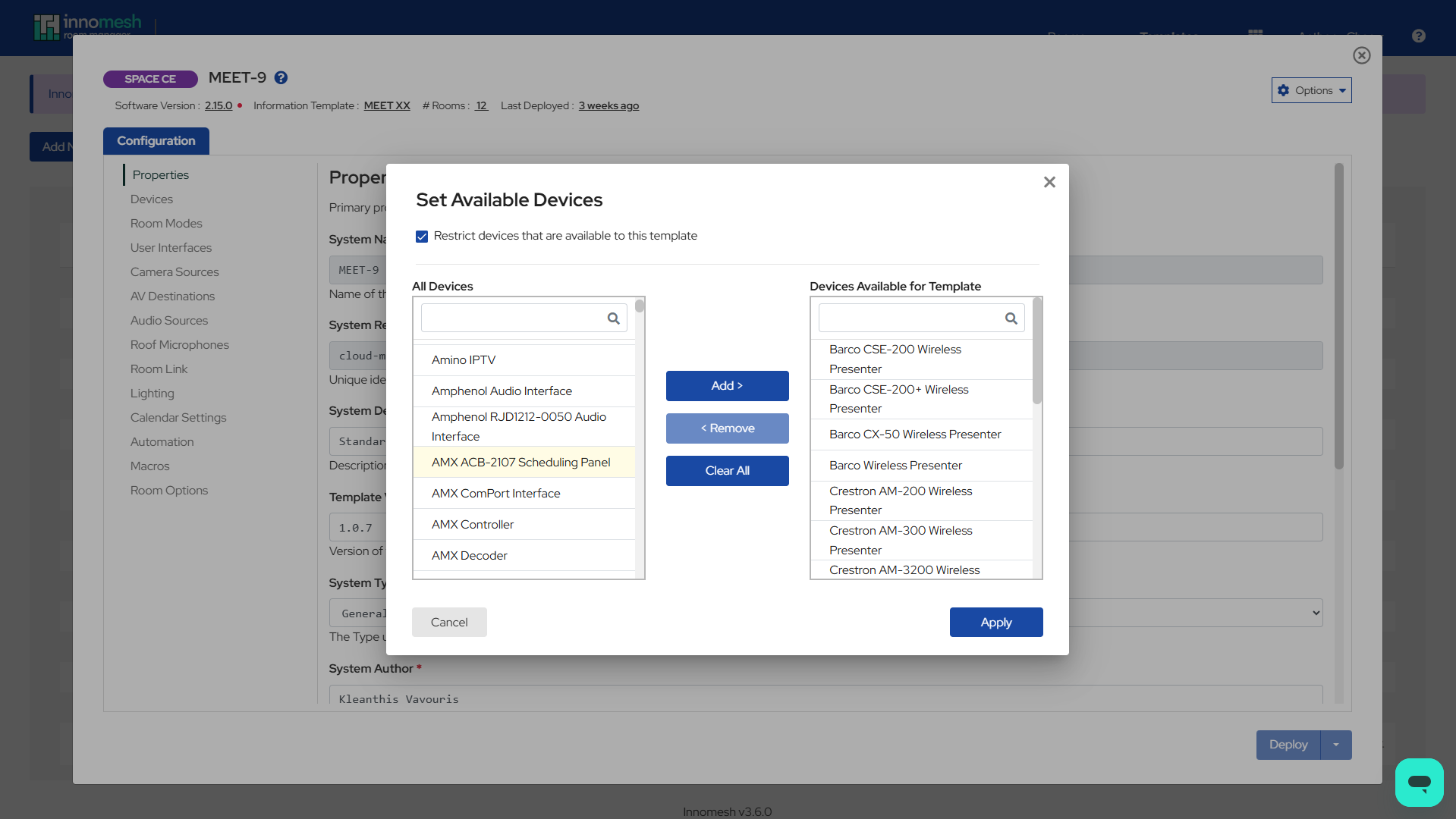
- Select Set Available Devices.
- In the Set Available Devices dialog, check the Restrict devices that are available to this template checkbox. This must be enabled for the restriction to be enforced at the room level.
- Move devices between the “All Devices” and “Devices Available for Template” lists using the Add, Remove, and Clear All buttons.
- Click OK to confirm, then Update the template to save.
How Device Restrictions Work in Rooms
Once a device allow list is configured on a template, rooms created from that template will only show the permitted device profiles when adding a new device.
This restriction works in conjunction with starred device profiles. When both are configured, only devices that are both starred and on the allow list are shown.
Show All Devices Override
For users who need to override the device restriction, a Show All toggle is available on the device selection list in Room Manager. Enabling this shows all device profiles, regardless of the template restriction.
Related Articles
Appendix: Permissions
The following permissions are associated with Device Configuration Enforcement. These are managed through Innomesh’s role-based access control (RBAC) system via the Innomesh Portal Administration page.
| Permission | RBAC Section | Description |
|---|---|---|
| Show All Devices (Template) | Room Manager → Templates | Allows the user to see all device profiles when editing a template, overriding the device allow list restriction. |
| Show All Devices (Room) | Room Manager → Rooms | Allows the user to see all device profiles when editing a room, overriding the device allow list restriction. |